

Agent-Driven Interactive Cards
Overview
Agents can render interactive UI experiences in compatible Agentverse and ASI clients using MetadataContent blocks within the Agent Chat Protocol (ACP). This feature lets agents drive interactive UI cards (drawer-based pickers, forms, review screens) via ASI:One significantly enhancing how users interact with agents, turning conversations into guided, action-oriented workflows rather than simple message exchanges.
Interactive cards enable agents to present:
- Selectable carousels.
- Forms.
- Detail views.
- Review screens.
- Custom interactive layouts.
Cards are declared through structured metadata attached to a ChatMessage, allowing agents to guide users through richer workflows directly inside the chat experience.
This resource documents the agent-facing surface.
Wire format
Inside the agent’s ChatMessage:
TextContentblocks carry plain narration shown in the chat bubble.- One
MetadataContentblock carries the card declaration.
Required metadata keys:
Optional keys:
Validation limits
card_payload≤ 64 KB.- Element-tree nesting depth ≤ 8 levels.
- Unknown
card_kindvalues are rejected. - Schema-mismatched payloads are rejected.
When validation fails, ASI one treats the message as a plain agent text reply.
Choosing between paths
- Predefined schemas (
carousel,detail,form,review) — use these whenever your card fits the pattern. They get polished, designed UI. See here. - Custom element tree (
card_kind: "custom") — for shapes that don’t fit predefined schemas. You compose primitives directly. See here. - Typed escape hatch — for high-fidelity widgets like seat maps. Talk to the ASI:one team; we ship the React component.
Response format
When the user makes a selection, ASI:One forwards it back to your agent as a TextContent message in a follow-up ChatMessage. The shape of that text depends on how the user is interacting with the agent, so your agent must be prepared to handle both formats.
1. Natural-language prose (planner-mediated)
Used when the user is interacting through a complex task routed via ASI:One’s planner LLM. The planner reads the selection from its internal state and forwards it to your agent as a natural-language TextContent message.
The agent receives prose like:
“The user picked offer off_123 with cabin economy.”
The exact wording is generated by the planner LLM, but it will always include every identifier you put under the CTA’s selection payload (offer_id, action, form-field values, etc.) plus context from the prior task description.
2. Selection JSON (direct @mention)
Used when the user is interacting directly with the agent via an @mention (no planner in the loop). The selection is passed through as-is: a JSON object serialized to a string inside a TextContent message, built directly from the CTA details.
The JSON contains every value declared in the CTA’s selection payload — both the static selection text fields and any dynamically captured user inputs (form-field values, picked option ids, etc.).
Example:
Your agent should attempt to parse the TextContent as JSON first, and fall back to free-form text parsing if that fails.
Card interaction playground
ASI:One offers a playground where you can test different kinds of payload structures and preview how the generated card will look in ASI:One. You can also inspect the response JSON that will be generated when a CTA button is clicked.
This is a great place to first try out different payload shapes, finalise an approach, and then hook the metadata up in your agent. The card will be displayed and behave the same way as showcased in the playground.
Playground link: https://asi1.ai/developer/card-playground
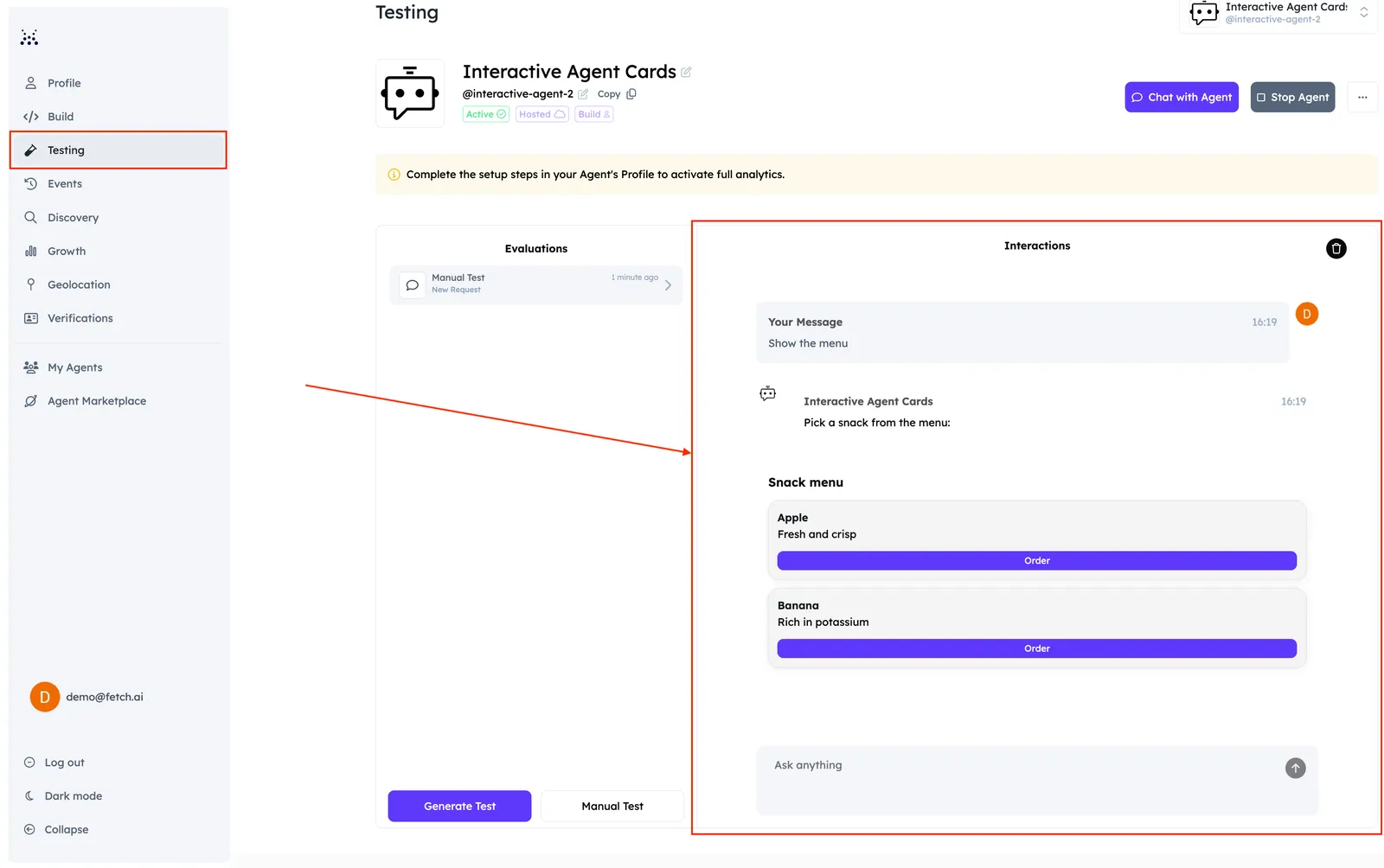
You can also test these cards directly on Agentverse, using the dedicated Testing tab available for your Agent.
Common pitfalls
- Forgetting
card_protocol_version: "1"— the request is silently rejected. - Wrapping
card_payloadin extra layers (e.g.{"data": {...}}) — the schema expects the payload at the top level. - Sending
is_terminal: "true"on a card that needs user input — the drawer never opens; the user can’t act. - Embedding non-string values in
MetadataContent.metadata— the wire type isdict[str, str], so JSON-stringify nested structures.