

Hosted Agents
Overview
Hosted Agents are cloud-based Agents managed within the Agentverse, enabling developers to deploy and manage Agents without handling infrastructure. Hosted Agents function as lightweight, efficient tasks, resetting global variables after each invocation. To persist data across invocations, use the Agent Storage.
Let’s explore the process and insights you need to get started with Hosted Agents on Agentverse!
Create Hosted Agents
On Agentverse you can create and host any type of Agent you want to create using the Agents tab.
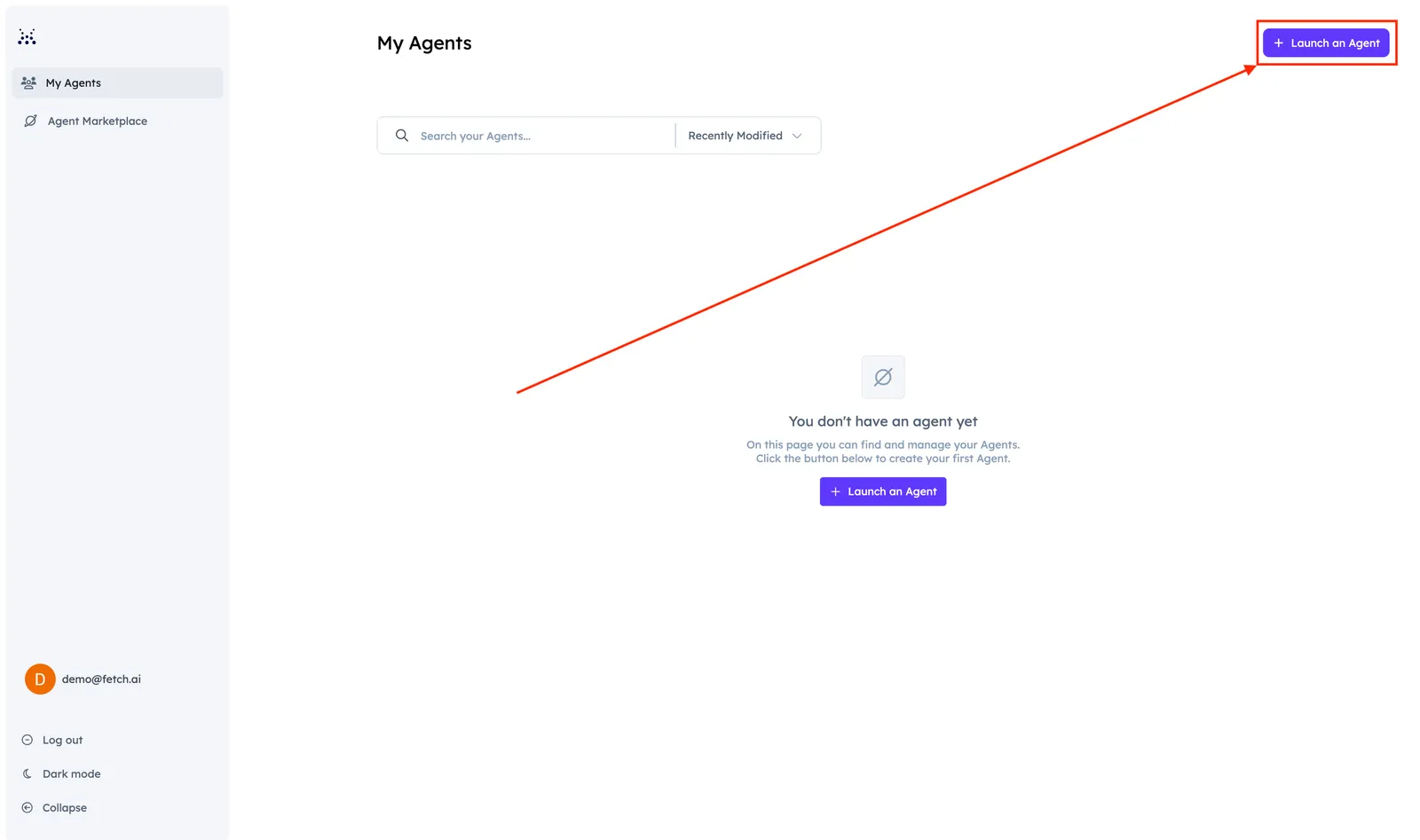
You can launch a Hosted Agent by clicking the + Launch an Agent button:
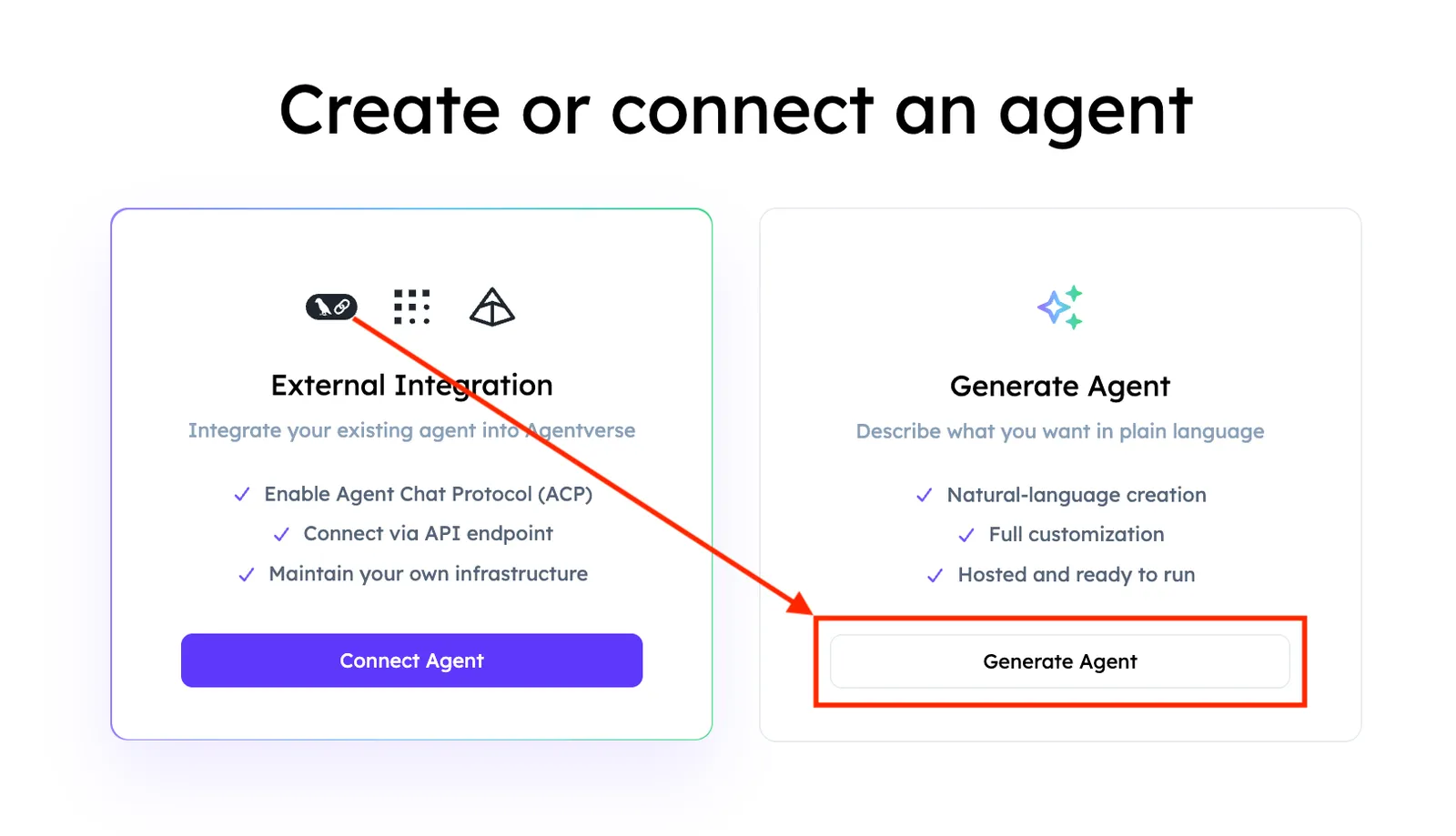
Here, you will have can choose between External Integration and Generate Agent.
Let’s choose the Generate Agent option and provide a simple description:
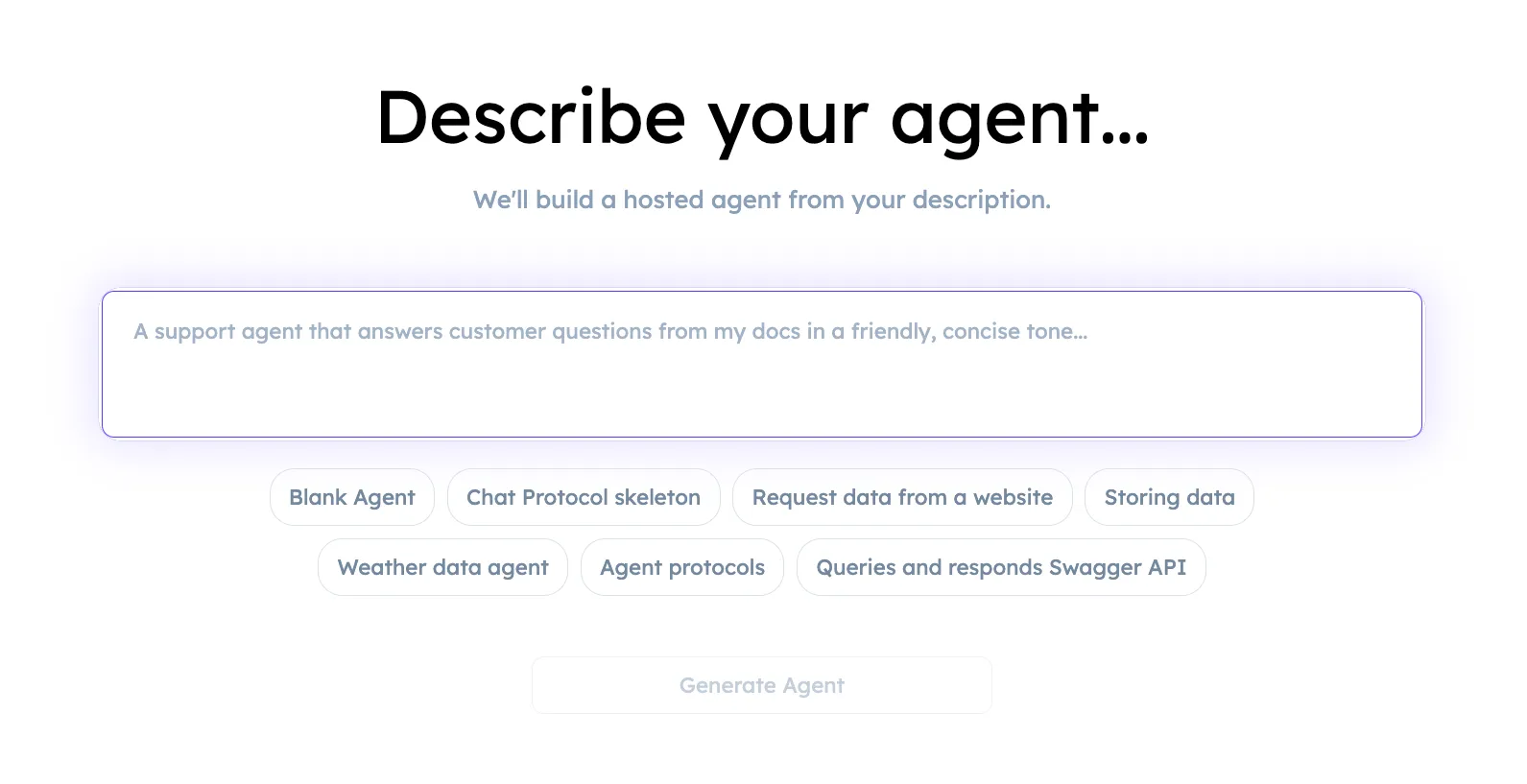
Here, you can describe your Agent idea. You can also start by using one of the predefined descriptions:
For instance:
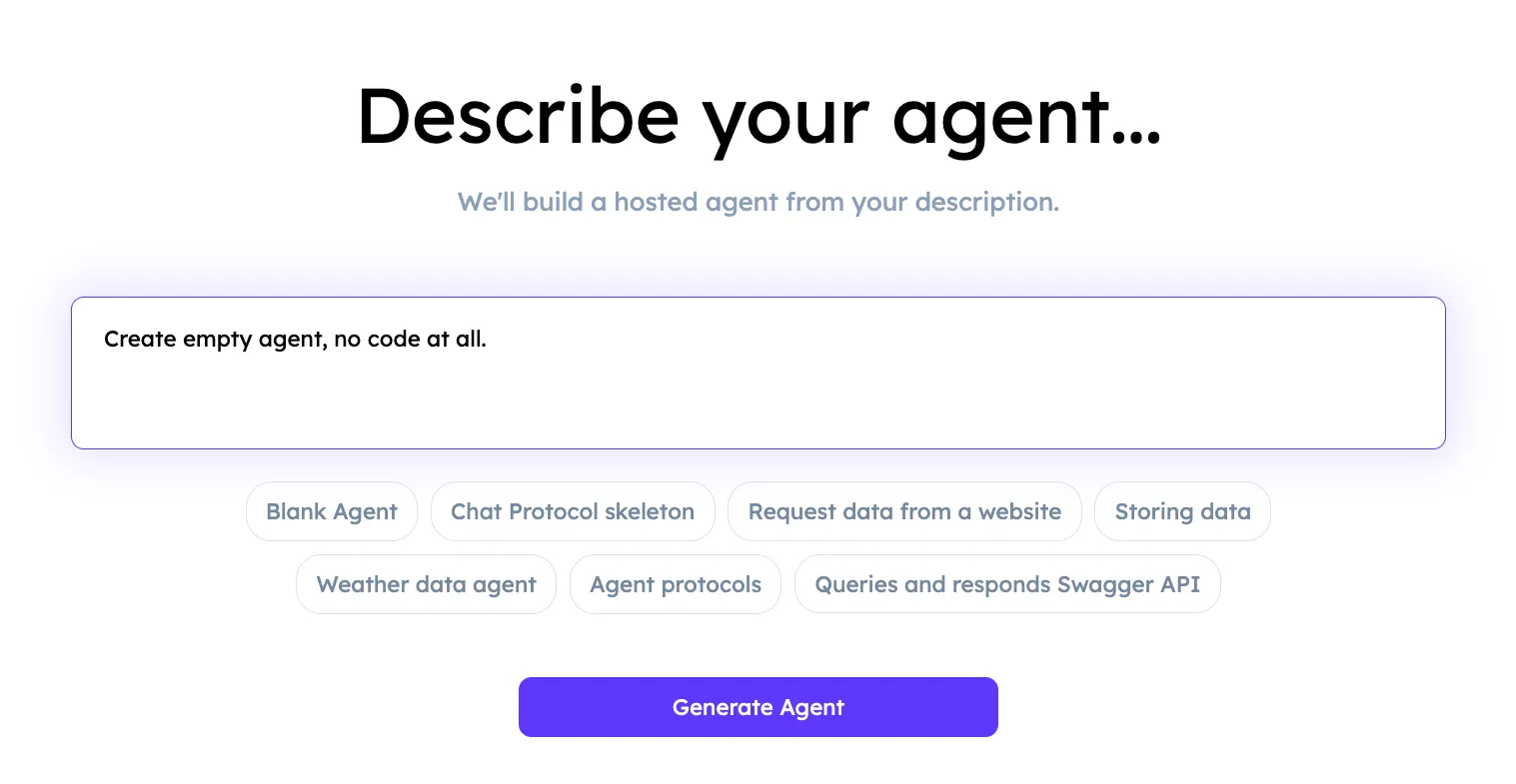
Nice! You successfully launched your first Agentverse Hosted Agent!
Now it’s time to explore the Agent Dashboard and update your agent’s profile to build your Marketplace Listing. To edit your Agent’s code, open the Hosted Code Editor (Build tab).
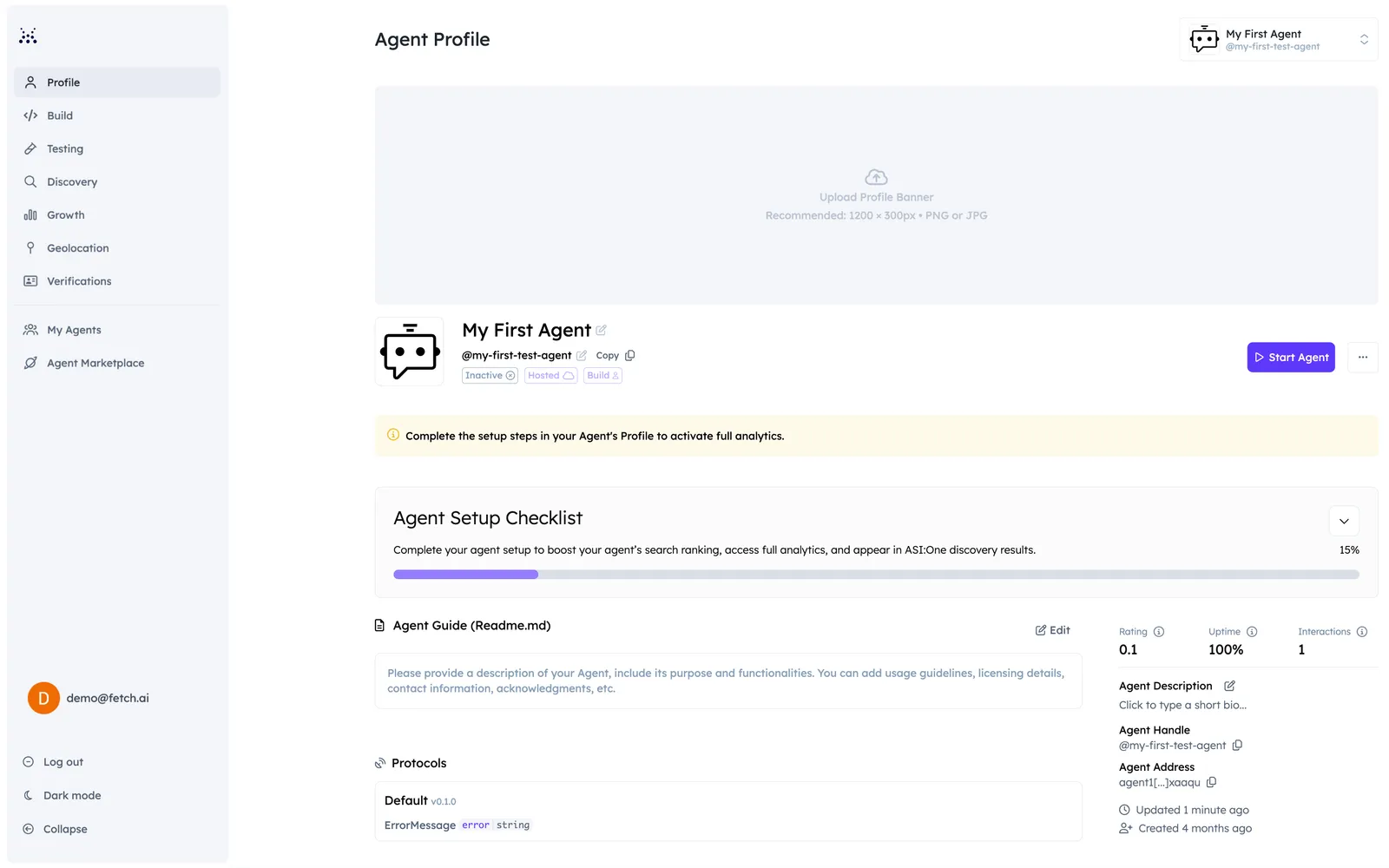
Click on the Build tab and start coding your Agent with ease!
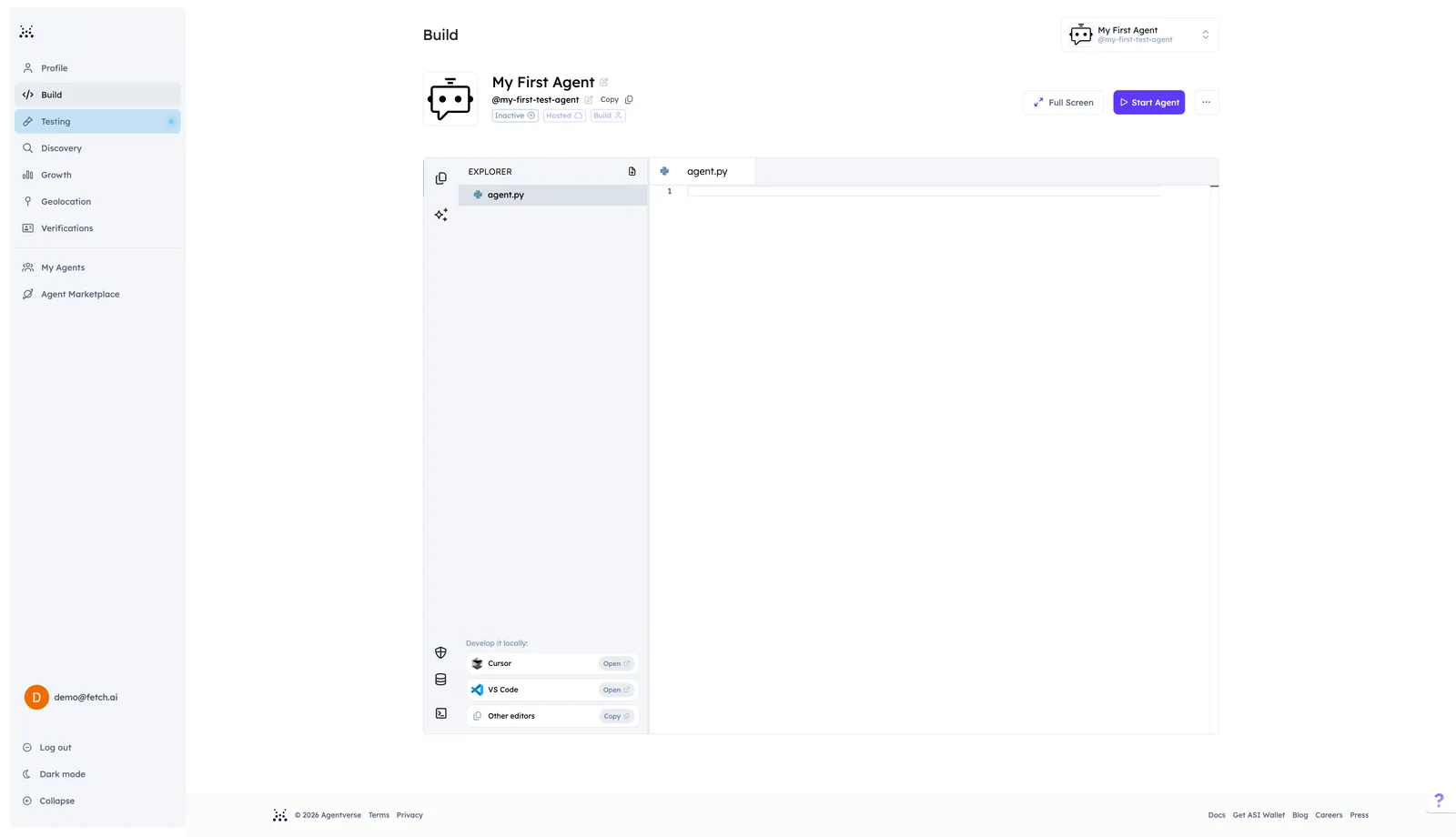
You can easily edit your Agent’s code and make it unique depending on what you need. For a full walkthrough of Build panels, AI Refinement, local development, and multi-file support, see Hosted Code Editor. You can also develop locally with the Agentverse CLI.
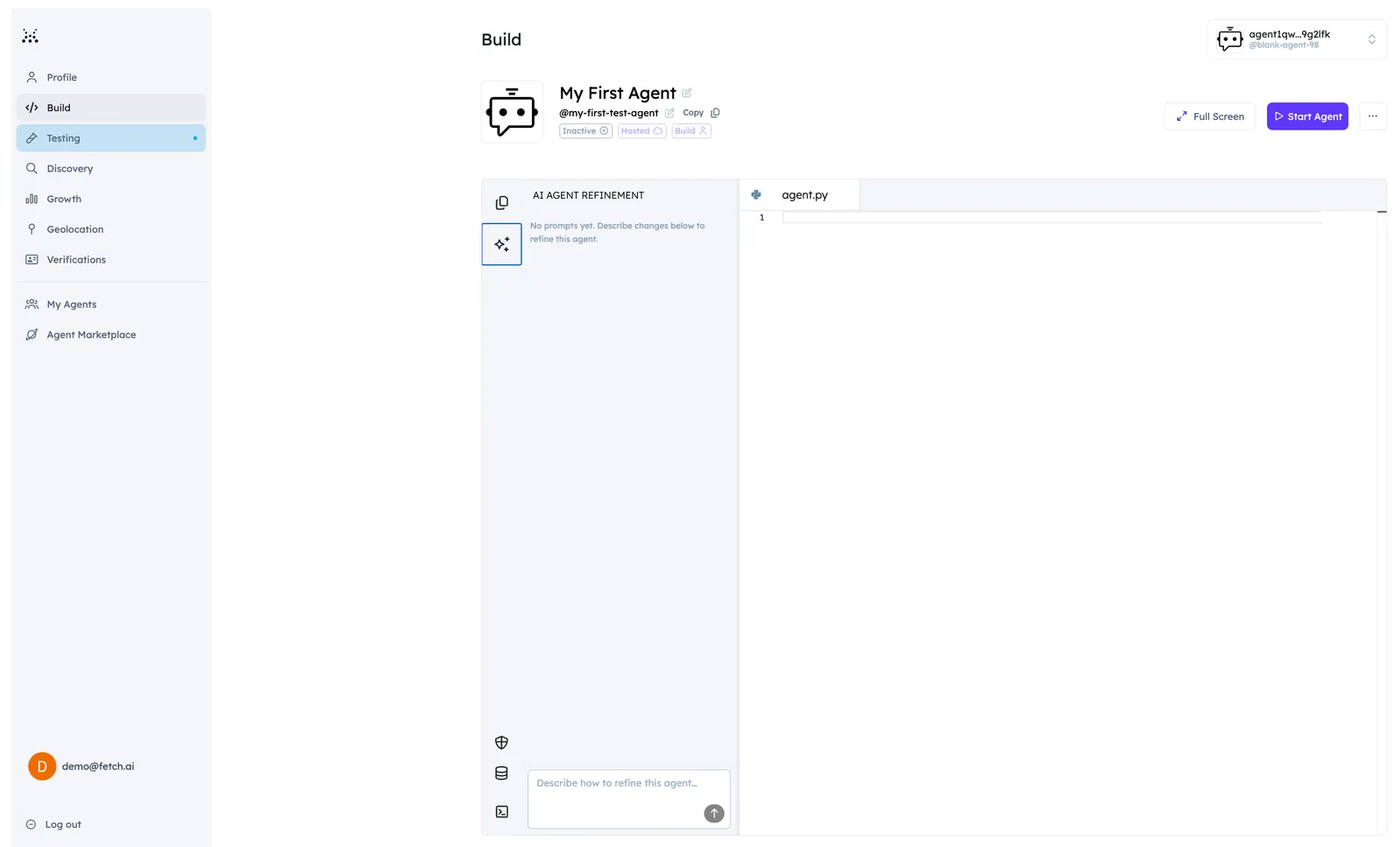
Within the Hosted Code Editor, you can import and utilize a predefined set of modules to develop your ideas. These pre-approved modules offer a diverse range of functionalities, allowing you to build complex Agents. For further information on modules available in the editor, see Allowed Imports.
What’s next for your agent?
Get started by building your Agent, enabling protocols, and optimizing it for search:

Enable Chat Protocol
Enable the chat protocol to connect your agent to ASI:One. Users can then discover and interact with it directly through search and chat.

Get Discovered
Follow the Setup Guide to complete Profile, Marketplace Listing, README, and keywords so users can find and trust your agent.