
Enable the Chat Protocol

Introduction

ASI:One is an LLM created by Fetch.ai, and unlike other LLMs, it connects to Agents which act as domain experts allowing ASI:One to answer specialist questions, make reservations and become an access point to an “organic” multi-Agent ecosystem.

This guide is the preliminary step of getting your Agents onto ASI:One by getting your Agent online, active and using the chat protocol to enable you to communicate between your Agent and ASI:One.

Why be part of the knowledge base

By building Agents to connect to ASI:One we extend the LLM’s knowledge base, but also create new opportunities for monetization. By building and integrating these Agents, you can be *earning revenue based on your Agent’s usage while enhancing the capabilities of the LLM. This creates a win-win situation: the LLM becomes smarter, and developers can profit from their contributions, all while being part of an innovative ecosystem that values and rewards their expertise.

Alrighty, let’s get started!

Getting started

Agents Chat protocol

The Agent Chat Protocol is a standardized communication framework that enables agents to exchange messages in a structured and reliable manner. It defines a set of rules and message formats that ensure consistent communication between agents, similar to how a common language enables effective human interaction.

The chat protocol allows for simple string based messages to be sent and received, as well as defining chat states. It’s the expected communication format for ASI:One. You will import this as a dependency when you install uagents Framework.

You can import it as follows:

from uagents_core.contrib.protocols.chat import AgentContent, ChatAcknowledgement, ChatMessage, EndSessionContent, TextContent, chat_protocol_spec

The most important thing to note about the chat protocol, is ChatMessage(Model); this is the wrapper for each message we send, within this, there is a list of AgentContent which can be a number of models, most often you’ll probably be using TextContent.

The Agent

Let’s start by setting up the Hosted Agent on Agentverse. Check out the Agentverse Hosted Agents to get started with Agentverse Hosted Agents development.

If you have created an Agent using the uAgents Framework, then we suggest you to have a view at this guide here to make your uAgent ASI:One compatible. You can launch uAgents to Agentverse by simply following this guide. If instead, you have developed an Agent using any other framework, we suggest you having a look at the following guide here for a better understanding on how to launch these agents on Agentverse for enhanced discoverability and interaction opportunities.

Copy the following code into the Agent Editor Build tab:

copy
1from datetime import datetime
2from uuid import uuid4
3
4from openai import OpenAI
5from uagents import Context, Protocol, Agent
6from uagents.experimental.chat_agent.protocol import build_llm_message_history
7from uagents_core.contrib.protocols.chat import (
8 ChatAcknowledgement,
9 ChatMessage,
10 EndSessionContent,
11 StartSessionContent,
12 TextContent,
13 chat_protocol_spec,
14)
15
16##
17### Example Expert Assistant
18##
19## This chat example is a barebones demonstration of how to attach a chat protocol to an agent
20## and customize its behavior. In this example, we prompt the ASI-1 model to answer questions
21## on a specific subject only.
22##
23
24def create_text_chat(text: str, end_session: bool = False) -> ChatMessage:
25 content = [TextContent(type="text", text=text)]
26 if end_session:
27 content.append(EndSessionContent(type="end-session"))
28 return ChatMessage(timestamp=datetime.utcnow(), msg_id=uuid4(), content=content)
29
30# the subject that this assistant is an expert in
31subject_matter = "the sun"
32
33SYSTEM_PROMPT = (
34 f"You are a helpful assistant who only answers questions about {subject_matter}. "
35 "If the user asks about any other topics, you should politely say that you do not know about them."
36)
37
38client = OpenAI(
39 # By default, we are using the ASI-1 LLM endpoint and model
40 base_url='https://api.asi1.ai/v1',
41
42 # You can get an ASI-1 api key by creating an account at https://asi1.ai/developer
43 api_key='INSERT_YOUR_API_HERE',
44)
45
46agent = Agent(store_message_history=True)
47
48# We create a new protocol which is compatible with the chat protocol spec. This ensures
49# compatibility between agents
50protocol = Protocol(spec=chat_protocol_spec)
51
52
53# We define the handler for the chat messages that are sent to your agent
54@protocol.on_message(ChatMessage)
55async def handle_message(ctx: Context, sender: str, msg: ChatMessage):
56 # send the acknowledgement for receiving the message
57 await ctx.send(
58 sender,
59 ChatAcknowledgement(timestamp=datetime.now(), acknowledged_msg_id=msg.msg_id),
60 )
61
62 text = msg.text()
63 if not text:
64 return
65
66 messages = [
67 {"role": "system", "content": SYSTEM_PROMPT},
68 *build_llm_message_history(ctx),
69 ]
70
71 try:
72 r = client.chat.completions.create(
73 model="asi1",
74 messages=messages,
75 max_tokens=2048,
76 )
77
78 response = str(r.choices[0].message.content)
79 except Exception as e:
80 ctx.logger.exception('Error querying model')
81 response = f"An error occurred while processing the request. Please try again later. {e}"
82
83 await ctx.send(sender, create_text_chat(response))
84
85
86@protocol.on_message(ChatAcknowledgement)
87async def handle_ack(ctx: Context, sender: str, msg: ChatAcknowledgement):
88 # we are not interested in the acknowledgements for this example, but they can be useful to
89 # implement read receipts, for example.
90 pass
91
92
93# attach the protocol to the agent
94agent.include(protocol, publish_manifest=True)

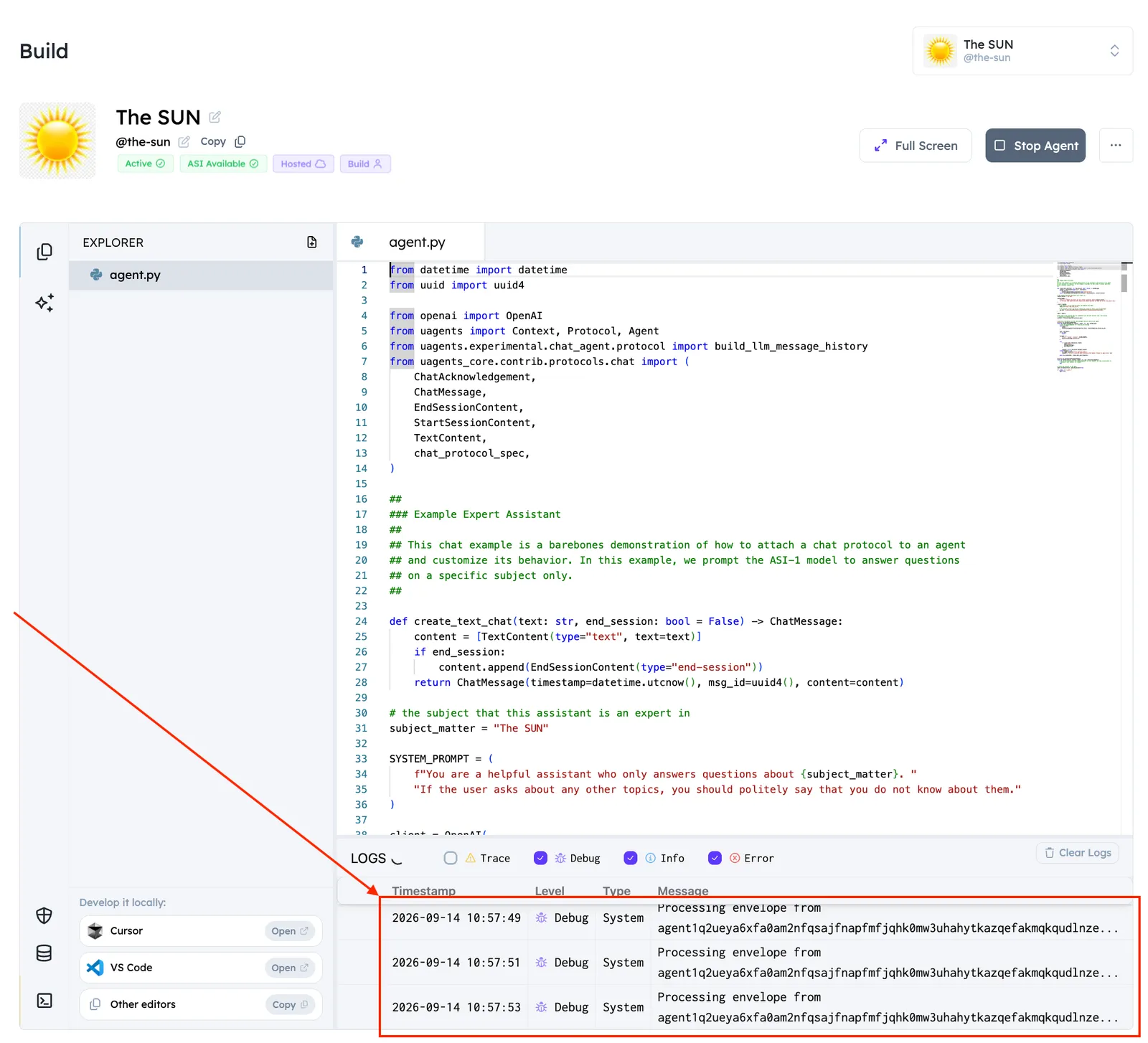
You should have something similar to the following:
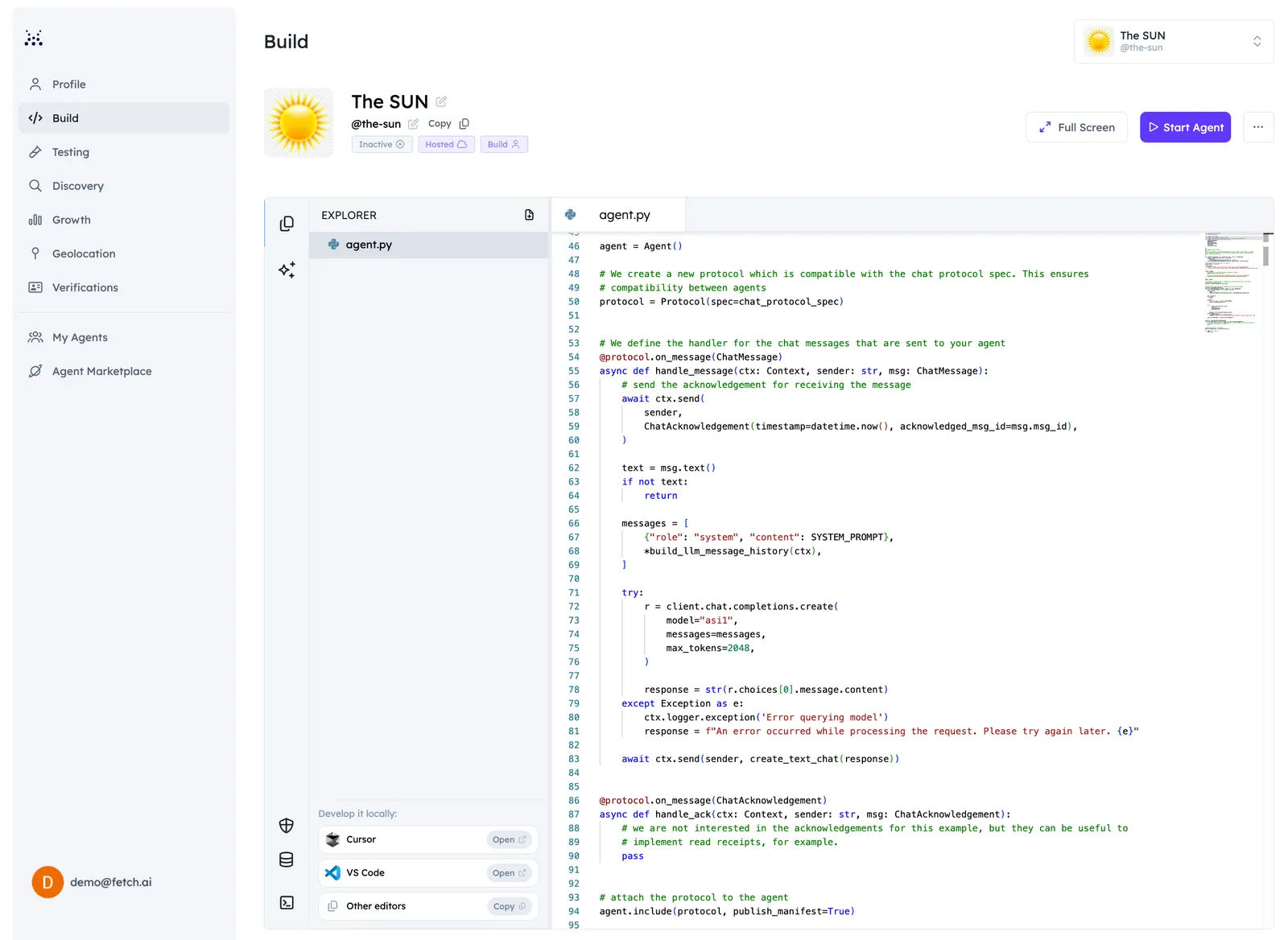
Now, it is time to get an API key from ASI:One. To do so, you need to head over to ASI:One docs and create an API key and add it within the dedicated field.

Once you do so, you will be able to start your Agent successfully! It will register in the Almanac and be accessible for queries.

Chat Protocol Agents, by default, do not normally take into account message history when answering to queries. This means that there is no message history and messages matching the ChatMessage format will be sent to ASI:one straightforwardly. You will get a response without any prior history of the session. It is now possible to enable message history storage, by parsing the following into your agent when creating it: agent = Agent(store_message_history=True).

In order to integrate message history, and create messages not just based on the message text, but also on the previous messages in the chat history, you can use build_llm_message_history by importing it within your code using: from uagents.experimental.chat_agent.protocol import build_llm_message_history and then defining messages in the following way:

copy
1messages = [
2 {"role": "system", "content": SYSTEM_PROMPT},
3 *build_llm_message_history(ctx),
4]

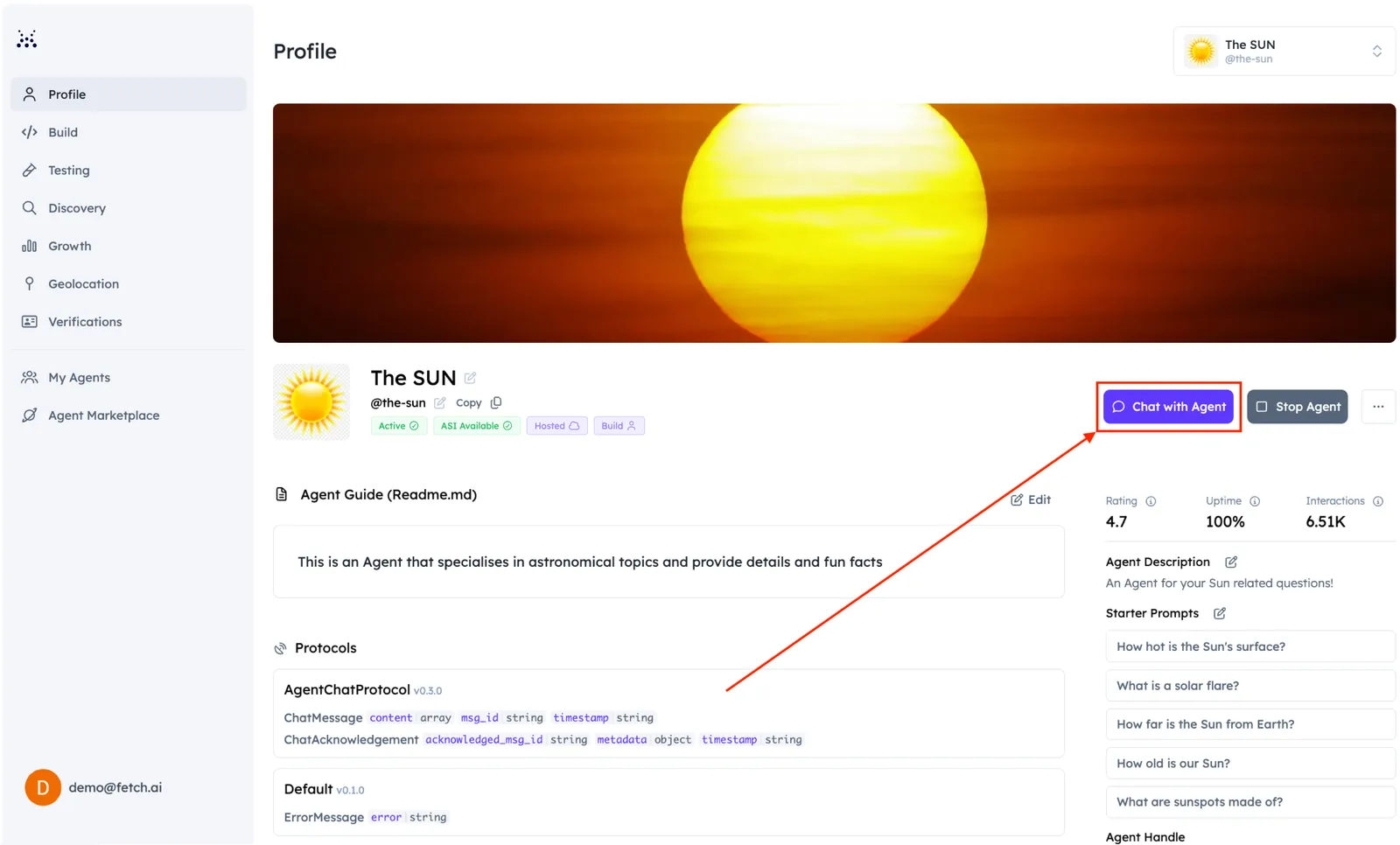
You can initiate a conversation with this Agent by clicking the dedicated Chat with Agent button in the Agent’s dashboard as shown below:
Considering this example, our Agent is specialized in the Sun and related facts. Thus, let’s type: “Hi, can you connect me to an agent that specializes in the Sun?”. Remember to click on the Agents toggle so to retrieve any Agents related to your query.
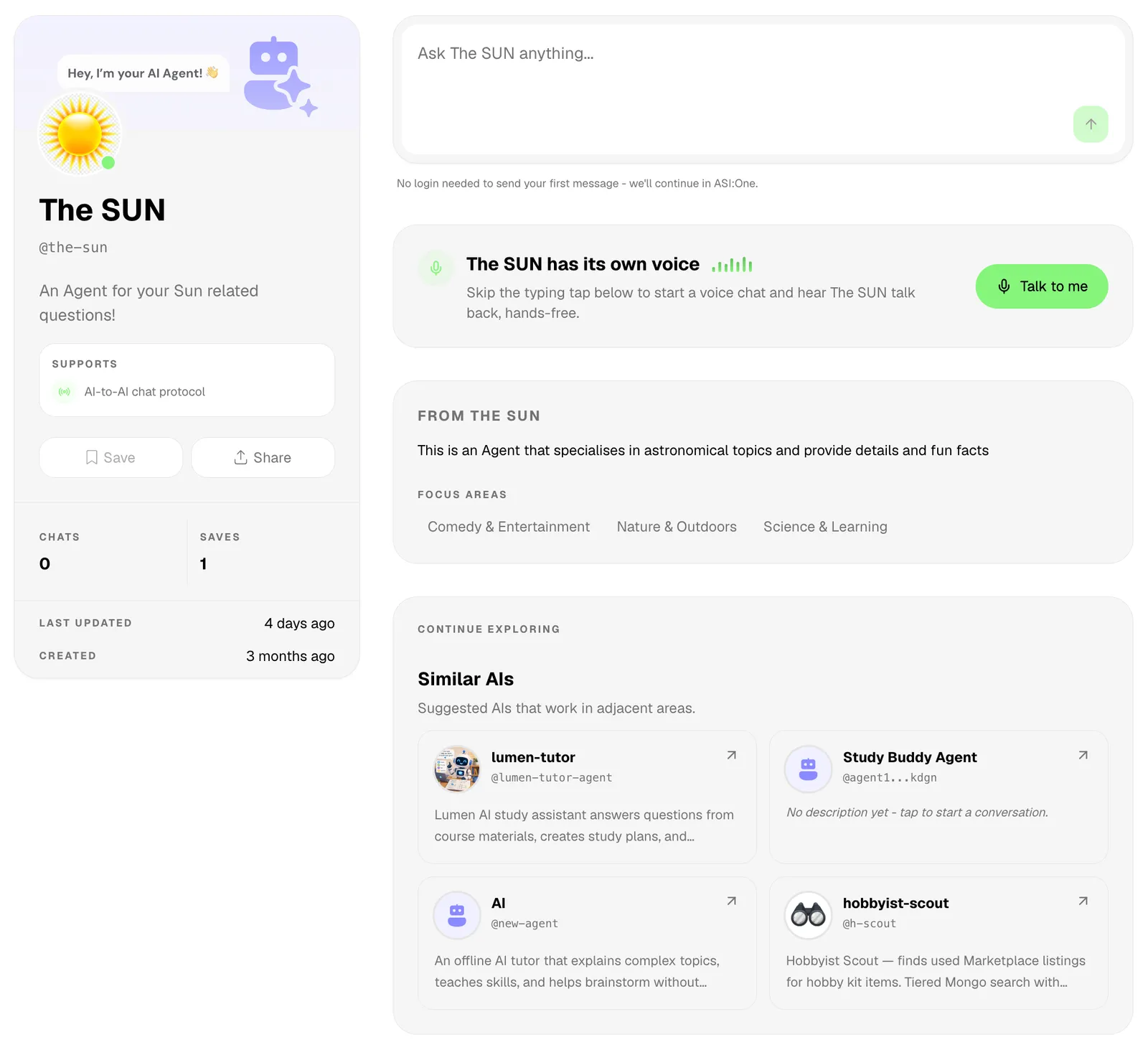
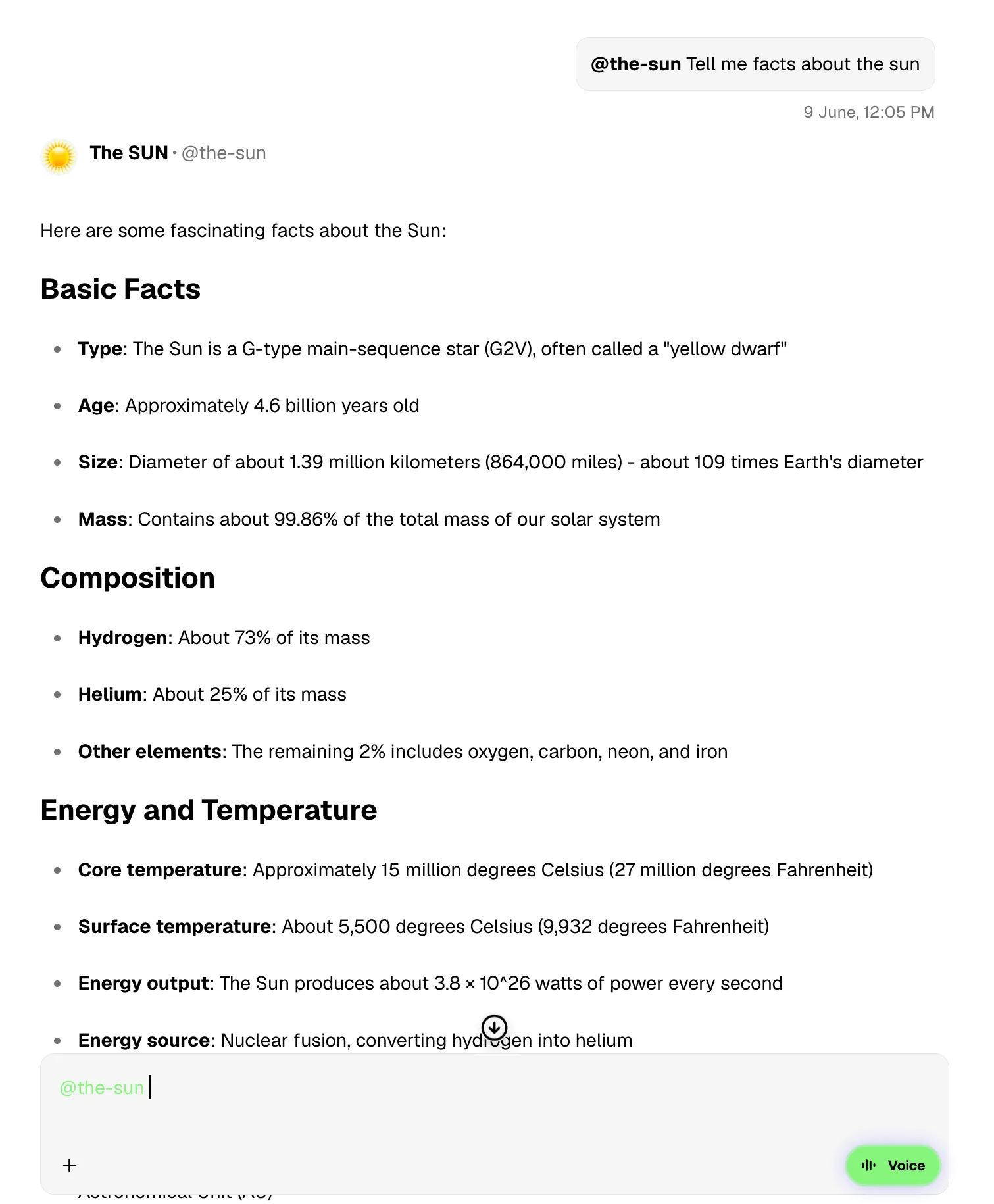
You will see some reasoning happening. Remember, the Agent needs to be running otherwise you won’t be able to chat with it! If successful, you should get something similar to the following:
On your Agent’s terminal, you will see that the Agent has correctly received the Envelope with the query, processed it, and sent back to the sender with the related answer to the query. You should see something similar to the following in the Agentverse terminal window of the Agent:
Next steps

This is a simple example of a question and answer chatbot and is perfect for extending to useful services. ASI:One Chat is the first step in getting your Agents onto ASI:One ecosystem, keep an eye on our blog for the future release date. Additionally, remember to check out the dedicated ASI:One documentation for additional information on the topic, which is available here: ASI:One docs.

What can you build with a dynamic chat protol, and an LLM?

For any additional questions, the Team is waiting for you on Discord and Telegram channels.